Updating ChartSkins
4 steps · about 1 min
- 1
Desktop app
It updates itself. When you see Restart & update, click it.
- 2
Extension: download the new version
When the popup shows New version available, click it and download the new .zip.
- 3
Replace the files
Unzip it and copy everything into your existing ChartSkins folder, replacing the old files.
- 4
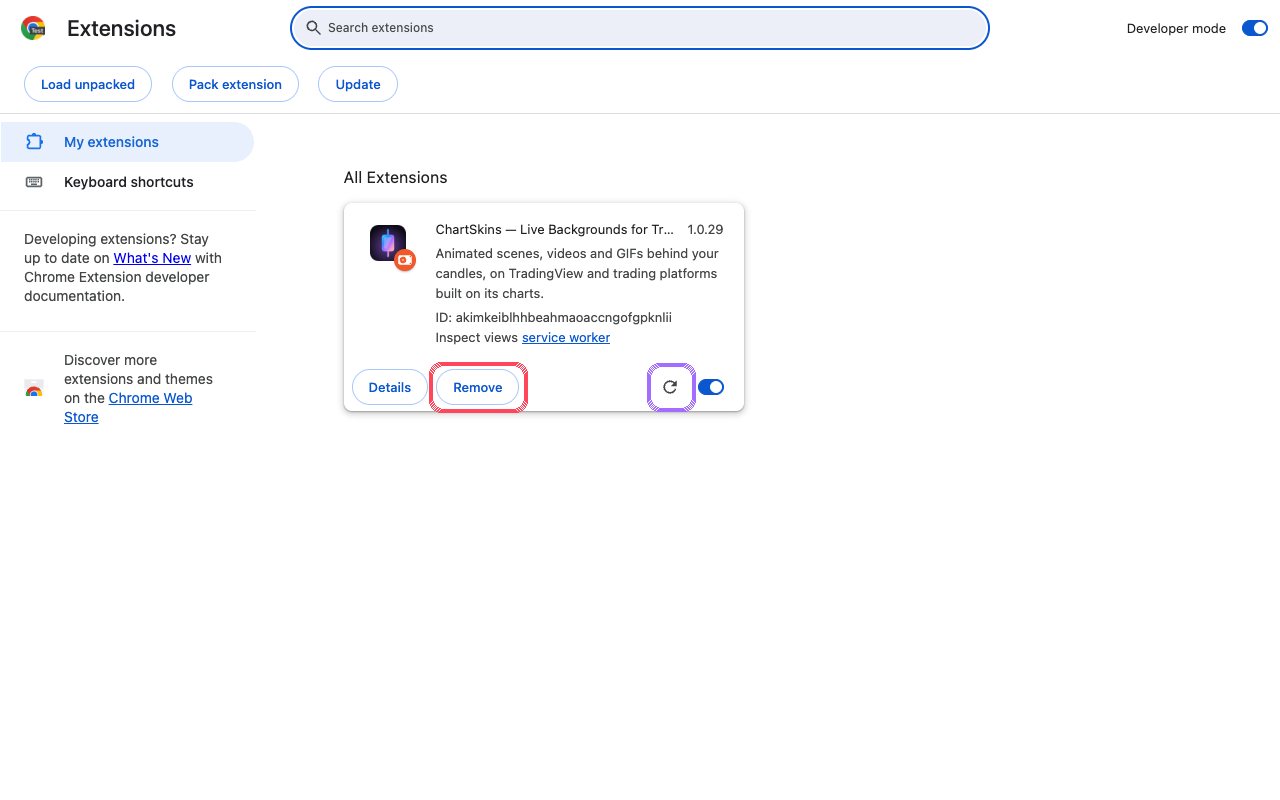
Reload, don’t remove
On chrome://extensions, click the reload arrow on ChartSkins. Don’t click Remove: removing deletes everything the extension saved, including My media.
Still stuck? Ask in our Discord
Next: Fix common problems →