Fix common problems
7 steps · about 3 min
- 1
My phone’s TradingView background turned black
Update ChartSkins, then on your phone open Chart settings → Canvas → Background and pick your colour once. New versions never save the see-through background into your layout.
- 2
Screenshots come out grey
Update to the newest version: TradingView snapshots now keep your chart colour while a skin is on. Pick the colour under Colour when off.
- 3
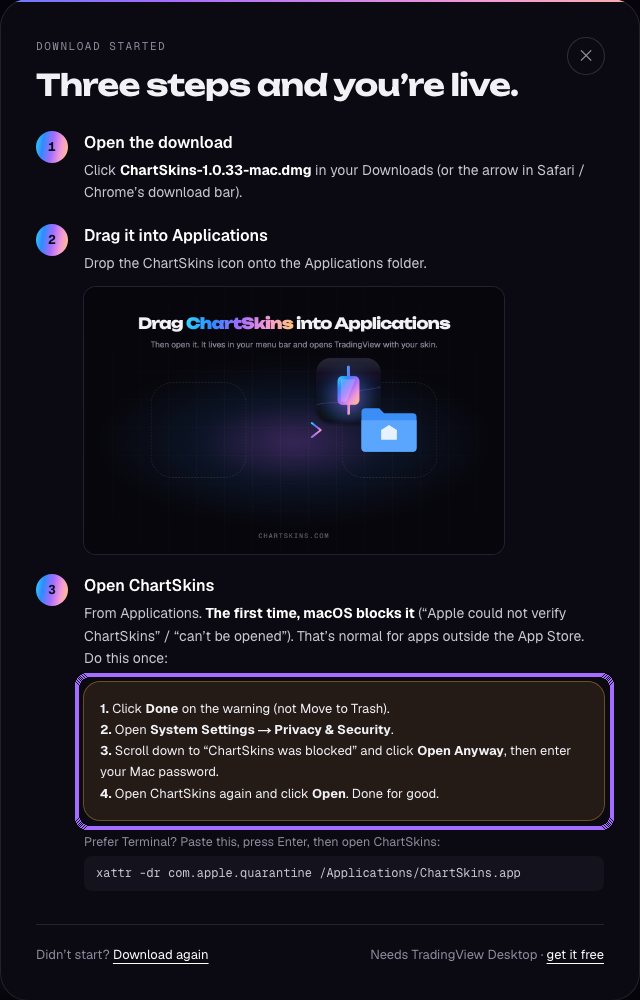
Mac says it can’t open ChartSkins
Click Done, then System Settings → Privacy & Security → Open Anyway. Once only.
- 4
“TradingView Desktop not found”
The desktop app needs the TradingView Desktop app installed. If you use TradingView in a browser, use the browser extension instead.
- 5
My own image doesn’t show up
Update the app (older versions had a preview bug). iPhone HEIC photos need converting to JPG or PNG first.
- 6
Pro isn’t showing
Make sure you’re signed in with the same email you bought or got Pro with. Open the extension popup or desktop app once: it checks again.
- 7
Still stuck?
Ask in our Discord #help channel (chartskins.com/discord). In the desktop app, Settings → Send to support sends us the details.
Still stuck? Ask in our Discord